
Integration & Data
Workflow Automation
Free your team from repetitive administrative steps while adding clear audit trails, status visibility and human sign-off gates.
In many growing businesses, skilled coordinators spend hours each week chasing email approvals, generating standard PDFs, copying intake forms into job trackers and reminding colleagues when tasks stall.
Good workflow automation does not turn your business into a rigid black box. Instead, it handles predictable routing, validation, notifications and document assembly automatically—while pausing cleanly for human judgement whenever an exception occurs.
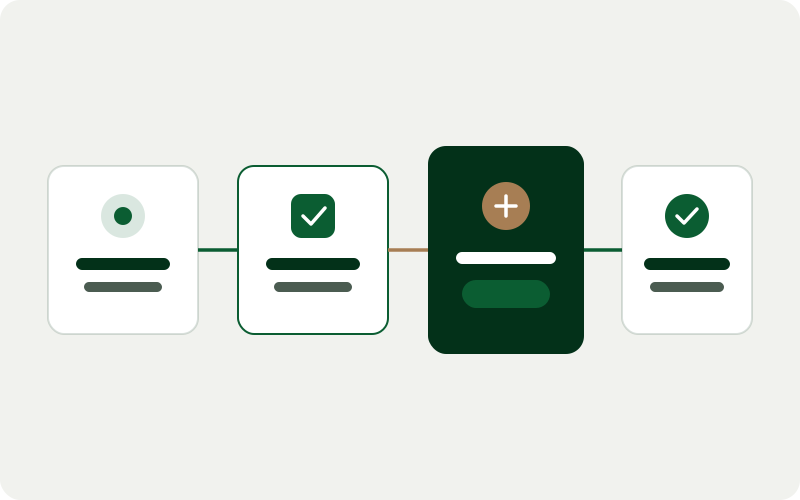
Intake Validation
Automated
Completeness checks
Human Gate
Role Sign-Off
Exceptions routed clearly
Run History
Logged
Every step timestamped
Typical Architecture Layers
- 1Structured Trigger / Form
- 2Rule & Threshold Engine
- 3Human Approval Checkpoint
- 4Downstream Actions & Audit Log
Deliverables & scope boundaries
Clear boundaries prevent project surprises. Below is what a typical workflow automation engagement includes—and what sits outside scope unless separately agreed.
What this service includes
- Process mapping to separate repeatable rule-based steps from genuine human judgement calls
- Automated intake validation, task routing, SLA reminders and status notifications
- Templated document, quote, statement or checklist generation
- Human-in-the-loop approval screens and exception queues
- Complete execution logs so staff can see what ran, when, and why
Explicitly excluded from standard scope
- Unsupervised automated communication to external customers without explicit client opt-in and review controls
- Replacing statutory safety or compliance inspections that require qualified human sign-off
Who this service suits
- Operations and admin teams bottlenecked by manual onboarding, quoting, dispatch or compliance checklists
- Businesses where tasks occasionally slip through the cracks inside shared email inboxes
- Managers wanting consistent standard operating procedures followed across multiple branches
Inputs needed from your team
To keep delivery smooth and avoid assumptions, we ask your team for:
- Step-by-step walkthrough of the current manual process and document templates
- Clear rules on who has authority to approve exceptions or overrides
- Access to email/notification channels and connected operational tools
How delivery works
Step 01
Bottleneck Mapping
Walk through the end-to-end workflow with the staff who actually perform it every day.
Step 02
Rule & Exception Design
Define happy-path rules alongside clear fallback queues whenever inputs are incomplete or unusual.
Step 03
Automation Build & Dry Runs
Implement triggers, approval steps and logs in staging using realistic test cases.
Step 04
Supervised Go-Live
Launch with human review checkpoints first, then streamline once your team trusts the flow.
Common questions about workflow automation
Can staff override an automated workflow when an urgent or unusual job comes in?
Yes. Every operational workflow should include authorised manual override paths and pause controls so urgent real-world situations are never blocked by rigid software.
Do you use no-code automation tools or custom code?
We recommend whichever is safer and easier to maintain for your case: lightweight platform automations for simple low-volume notifications, and version-controlled custom code when logic, security, volume or testing requirements demand it.
How do we know if an automated job fails?
Every automated task writes to an execution log and triggers immediate exception alerts to a designated inbox or channel if an external service rejects a request.
Related services
Discuss workflow automation for your business
Share a short overview of your current tools and goals—we will outline a practical scope, expected inputs and sensible next steps.